The not so secret agents.md of Xcode
When building out a new app recently (MobileBuilds.app), I asked myself the question "how can I teach claude about the structure of my code?". The answer quite thankfully was an established pattern in the form of an Agents.md file.
Simple right? Well, there's a lot more complexity involved.
Calling Agent Claude
The first step is to tell Xcode about your claude subscription. Apple provides documentation for how to accomplish this within Xcode's settings pane.
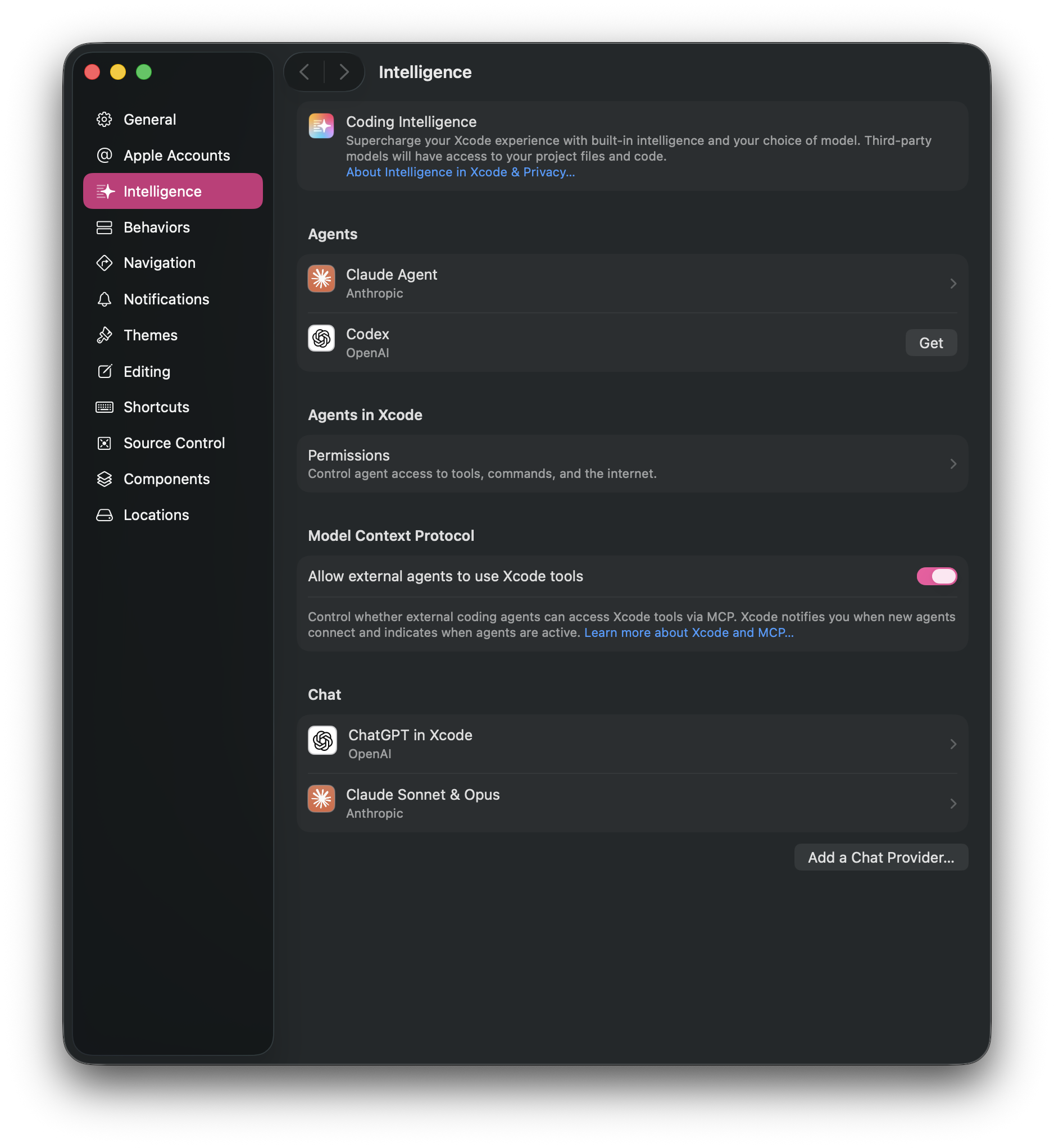
As well as Claude, the "Intelligence" section of Xcode's settings allows you to connect Codex (ChatGPT) and custom model providers (locally or internet hosted). The documentation for Codex and custom models is part of the same article from Apple.
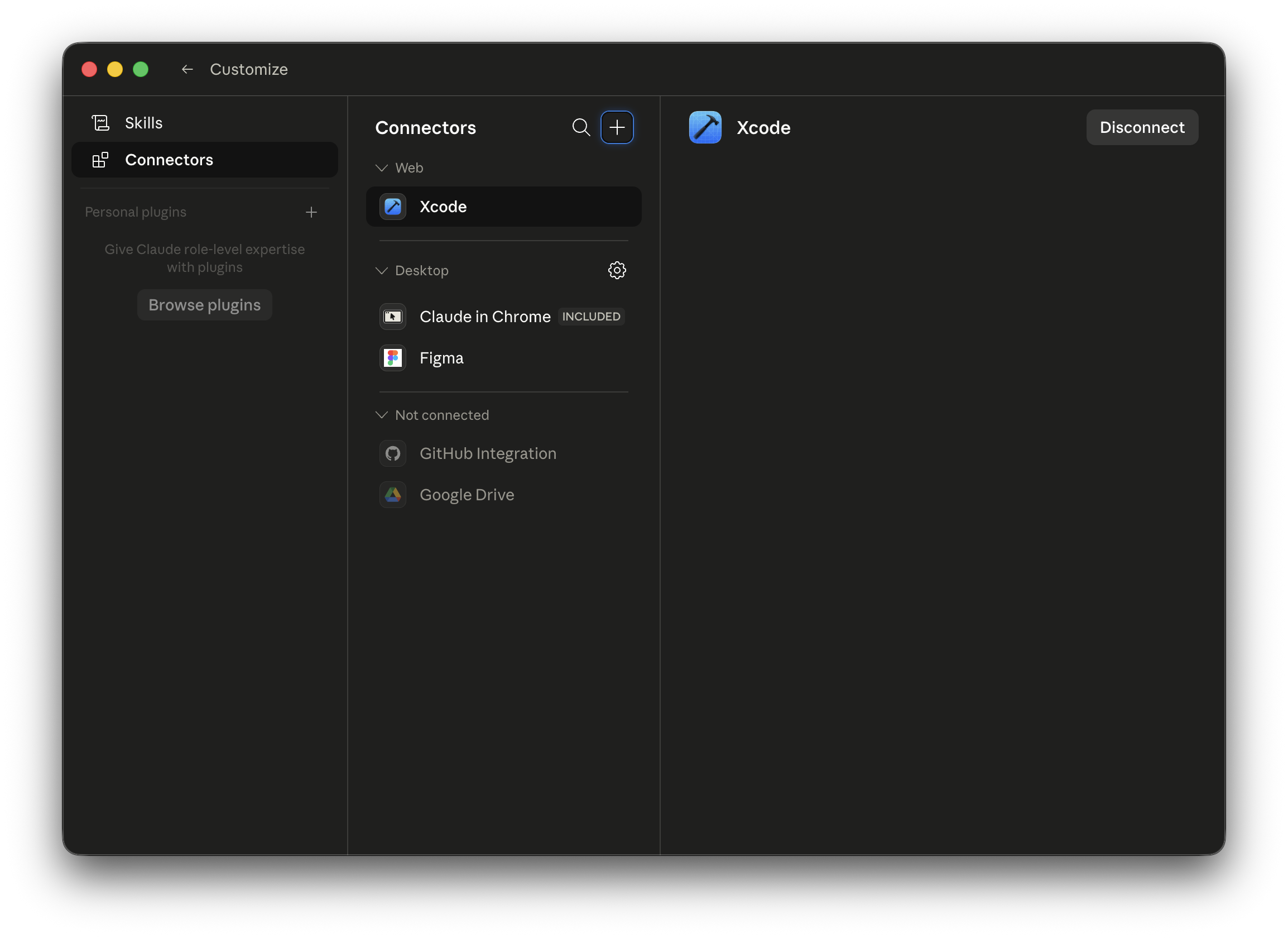
If you desire to have Claude talk to Xcode's MCP server then this can be done from within the Claude desktop app by specifying Xcode as a connector.
The power of a good Agents.md
The Agents.md file is the work horse of the interactions and it is where you tell the coding agent about how to navigate and understand your app.
Like any other LLM interaction, the Agents.md file is a list of instructions for how to interact with your app.
One of the big advantages though comes by splitting out those instructions into separate files. Doing so will allow the agent to apply the correct instructions to your code.
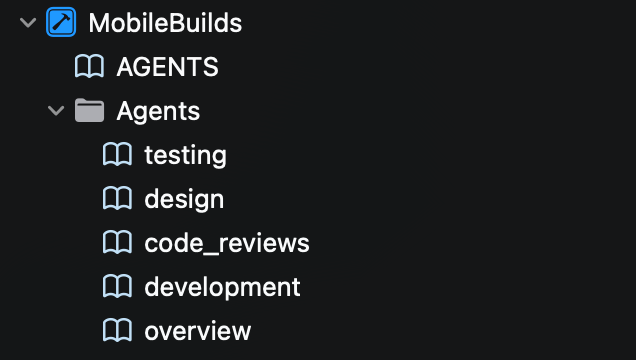
These can be specified from within the Agents.md file like the following.
# AGENTS.md

## Instructions

- An overview of the project can be found at: @Agents/overview.md
- Developer process can be found at @Agents/development.md - use this when working on the codebase.
- Code review instructions can be found at @Agents/code_reviews.md - use this when reviewing code changes.
- Testing criteria and instructions can be found at @Agents/testing.md - use this when writing tests and running tests for verification.
- Design guidelines and instructions can be found at @Agents/design.md - use this when writing viewsUpskilling
Within the iOS community there are a large range of skills that people have provided. One that often gets mentioned is the SwiftUI Agent Skill from Paul Hudson.
There are a lot of different ways to install and manage skills so they are available to both Claude and Xcode.
One thing worth noting though is that blindly trusting a skill from someone will inevitably lead to issues in understanding what your code does and why. By all means use the skills, but keep track of the changes that are being made to the skill and critically assess what it is encouraging as far as behaviour.
The majority of skills are open source and available, so if your teams requirements differ from what the skill recommends, fork the skill and make changes to better suite what your team desires.
Rinse, repeat, try again
There's a lot that can be done with agentic tooling. A well written Agents.md file is just the start of it. A big requirement though is as your team writes more and more code using agentic development practices, you need to keep the Agents.md and any skills associated with it updated.