The right instrument for the job
Why using instruments is important
When dealing with any interactions on a mobile device such as an iPhone, iPad or Vision Pro, it is important to have user interactions be responsive. Glitches, hitches, jumps and flashes should be avoided. These result in your app feeling janky and lack any delight for the user.
The Instruments app is what's used for measuring app interactions. First introduced in 2007 as part of Xcode 3.0, it has grown in the availability of instruments that it exposes.
With the introduction of Foundation Models in 2025, it gained the ability to measure usage of session interactions to get insight into how it is being used and where you as a developer can make improvements to your code.
Setting up the Instrument
The first step when using instruments is to profile your app. This is done by selecting "Profile" from the Product menu.
You will then be prompted to choose a template for the Instruments session. I tend to go for "Time Profile" as it provides some common instruments you can use.
As the Foundation Models instrument doesn't have a default template, you can use whichever one you think is best for your use case.
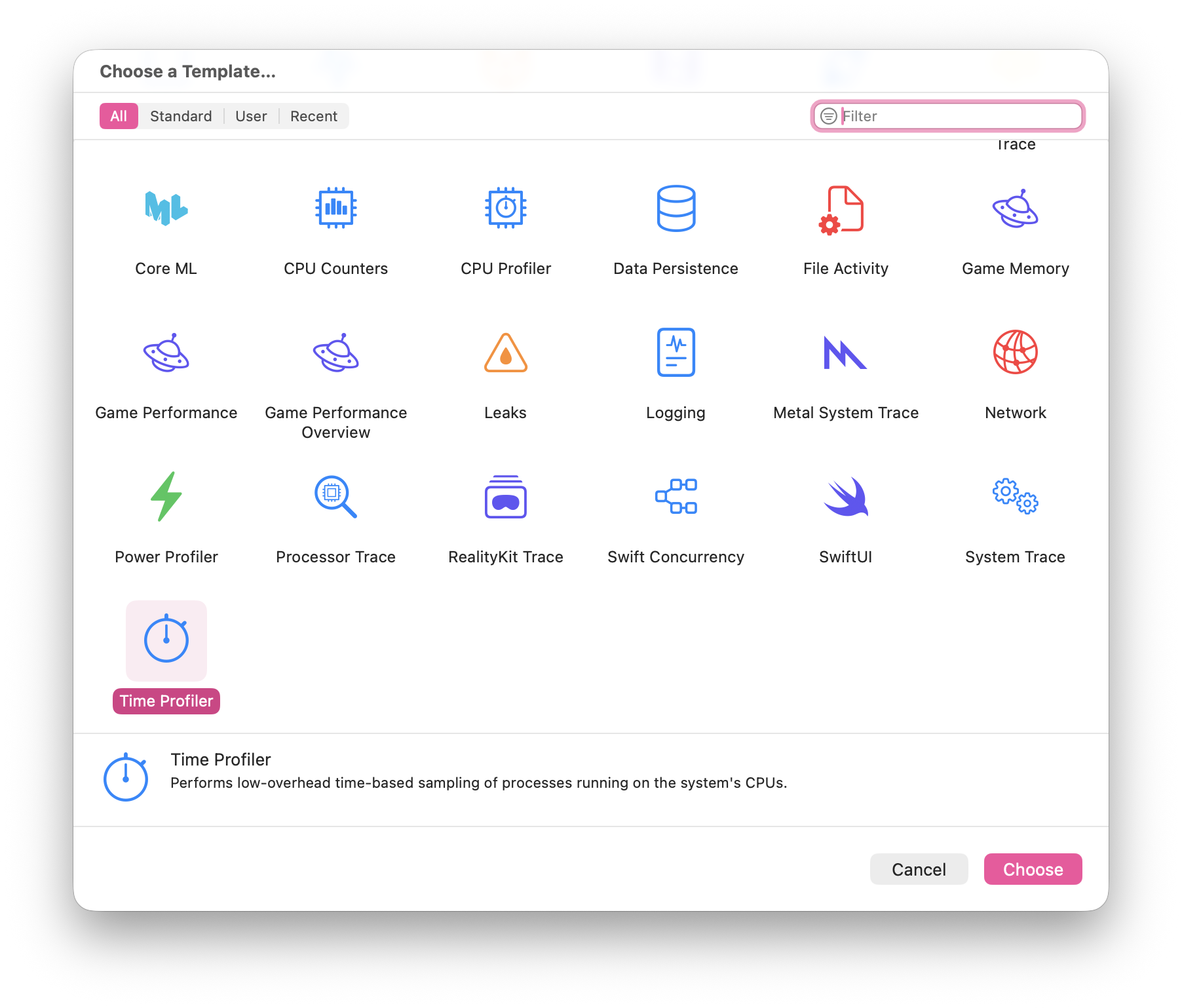
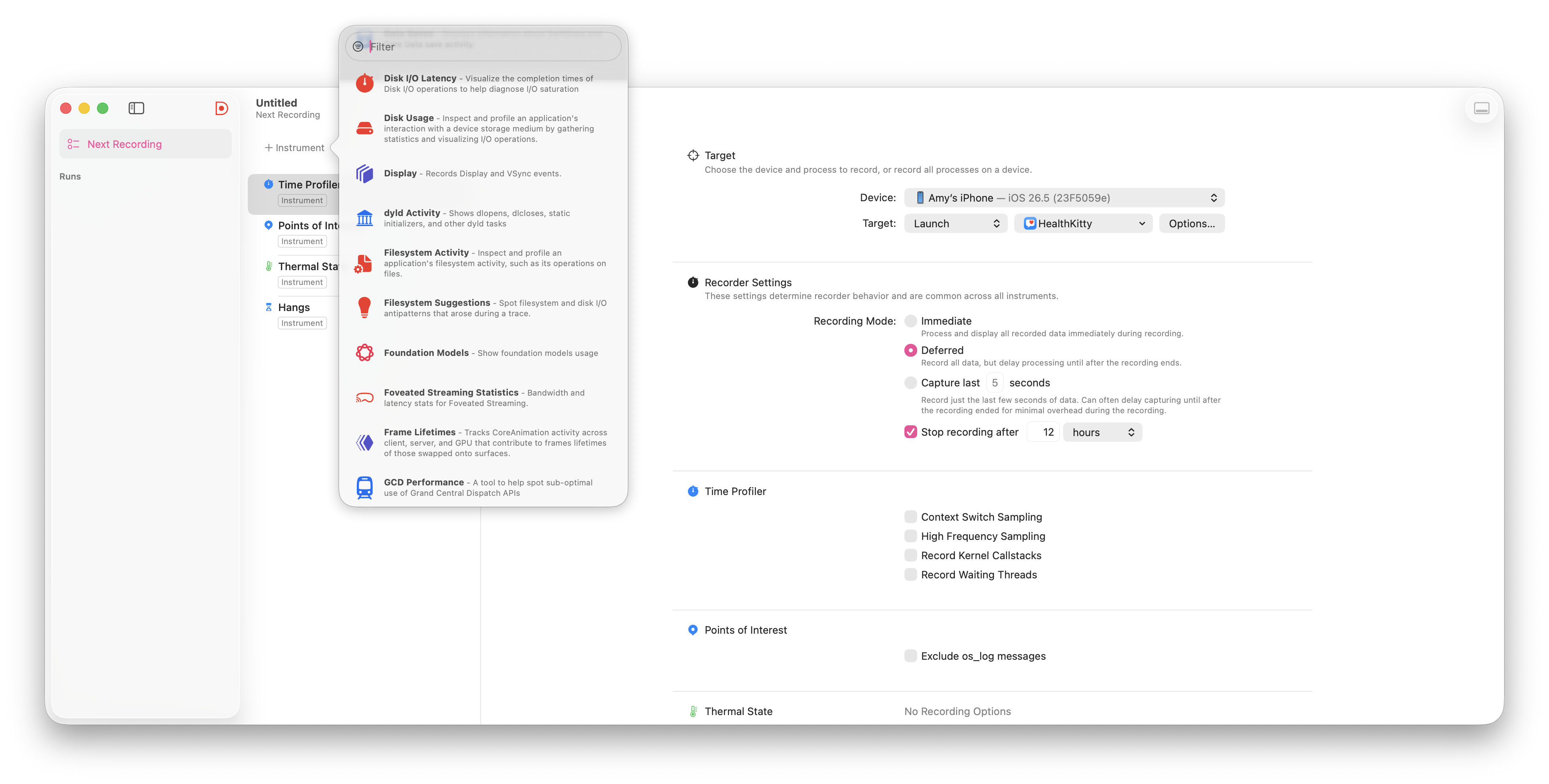
Once you have a template chosen, you will then need to add the foundation models instrument. This is achieved by clicking on "+ instrument" which will allow you to select from a variety of different instruments.
The one you're after is called "Foundation Models".
Obtaining the recording
You can now start the recording and see what is happening. If you choose "immediate" then you get the output as you interact with the app.
For any Foundation Models usage you need to be running the app on a physical device. You can get limited data via the iOS simulator but the token count is unfortunately zero when the simulator is the target.
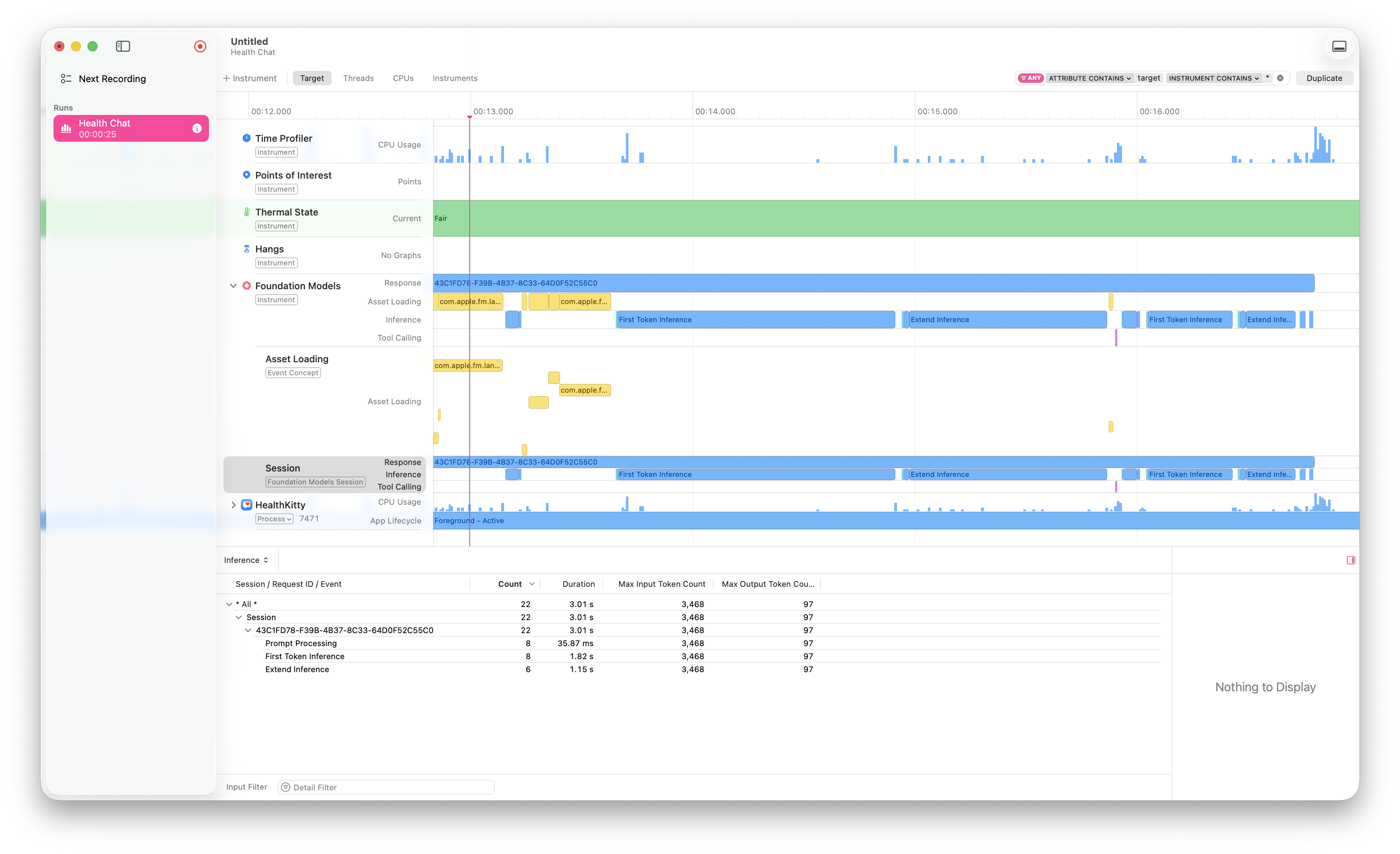
As the usage is recorded, it will populate details about access to Foundation Models alongside any other instruments you have running. An example recording looks like the following.
Looking at the usage
There is a lot of details captured so lets break down the importance of each data point.
Max Input Token Count
This is an estimate of the number of tokens consumed by prompts, instructions and tools that exist as part of the session.
Max Output Token Count
Like the input token count, this is an estimate of the number of tokens consumed by the response
Tool calling
This is the time taken to perform the tool calls required by the session. If you're dealing with HealthKit or anything that is variable, you are familiar with how these calls can go from less than a second to over a couple of minutes.
First Token Inference
This is the best measure of responsiveness in the session as it is the time taken to generate the first token in the response. The sooner this happens, the more responsive the UI feels to the user.
Extended Inference
A measure of the time spent on reasoning and verification. If this value is high then the model is spending a lot of time "thinking".
Updating the usage in your app
Using instruments is an amazing way to understand just what is going on, but the key thing is how do you improve usage of Foundation Models within your app. This changes from app to app but general advice includes:
- Prewarming your sessions.
- Limit tokens used for instructions, prompts and tool calls.
- Cache responses from tool calls that can take a very long time.
So all up, use the right instrument for the job and create an app that is a delight for the users.